

Download iFunia Media Player – Free, Fast, Universal Video & Music Player
Overview
iFunia Media Player is a lightweight, free‑of‑charge multimedia solution that packs the core capabilities most users expect from a modern player without the bloat of larger suites. Designed for personal use, it supports a wide array of video and audio codecs—including MKV, FLV, AVI, WMA, and MOV—making it a near‑universal playback tool for Windows, macOS, Android, and iOS platforms. One of the standout features is its ability to handle ultra‑high‑definition video streams up to 5K resolution, ensuring that the latest blockbuster or high‑quality TV series looks crisp on any compatible display.
The player also remembers your viewing history, so you can quickly resume or revisit previously watched files. Drag‑and‑drop support eliminates the need for cumbersome file‑browsing, while built‑in conversion utilities speed up the process of handling non‑native codecs. Regular, automatic updates keep the software secure and improve performance over time, delivering a smooth, responsive experience that rivals more heavyweight competitors.
Whether you’re a casual viewer who wants a quick way to watch downloaded movies or a music enthusiast looking for reliable playback, iFunia Media Player offers a balanced mix of simplicity, speed, and feature depth—all at no cost.
Key Features
- Support for over 50 video formats, including MKV, MP4, AVI, FLV, MOV, and 5K UHD playback.
- Audio compatibility with MP3, AAC, FLAC, WMA, OGG, and lossless formats.
- Drag‑and‑drop file loading for instant playback without navigating folders.
- Built‑in video converter that quickly transcodes unsupported codecs.
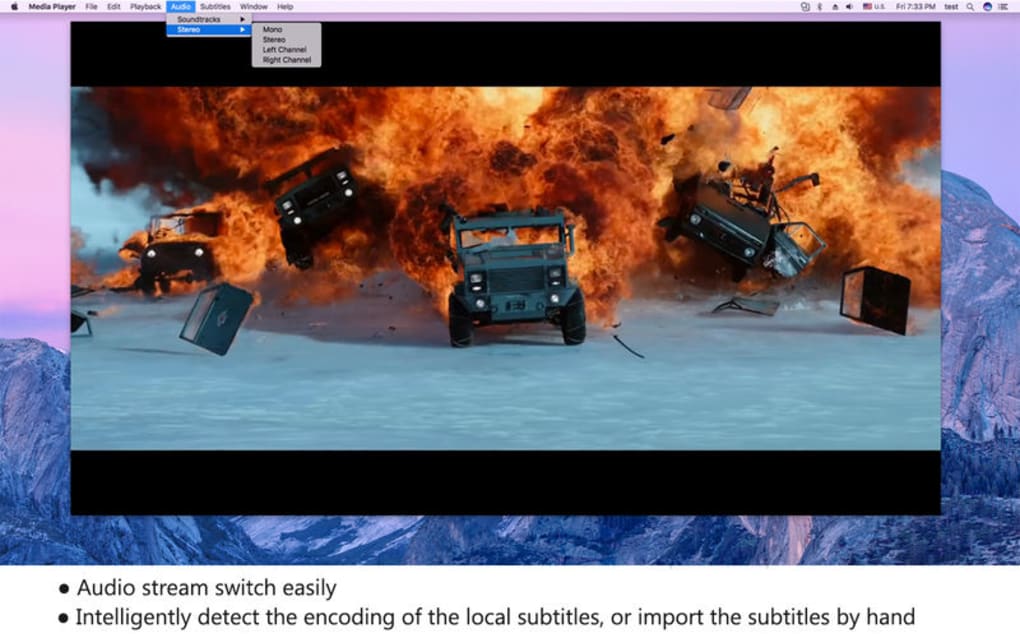
- Automatic subtitle detection and manual subtitle loading with multiple language support.
- Playback speed control ranging from 0.5x to 2x for detailed analysis or fast‑forward viewing.
- Playlist management with save‑and‑load functionality for custom media queues.
- History tracking that records recently played files for easy access.
- Regular, secure updates that improve codec support and fix vulnerabilities.
- Lightweight footprint – under 30 MB installation size, ideal for low‑spec PCs.
Each feature is engineered with performance in mind. The codec library is continuously updated, ensuring that emerging formats are recognized without requiring a full reinstall. The UI remains uncluttered, offering a familiar control bar, full‑screen toggle, and right‑click context menus that expose advanced options without overwhelming new users. Together, these capabilities make iFunia Media Player a robust, all‑in‑one solution for everyday media consumption.
Installation & Usage Instructions
Getting iFunia Media Player up and running is straightforward. Begin by visiting the official download page and clicking the “Download for Windows” (or macOS, Android, iOS) button. The installer is a single executable file (.exe for Windows, .dmg for macOS) that weighs less than 30 MB. Once the file is saved, run it and follow the on‑screen prompts: accept the license agreement, choose the destination folder, and optionally create a desktop shortcut. The installer will automatically install required runtime libraries, such as the Visual C++ Redistributable on Windows, ensuring full codec compatibility.
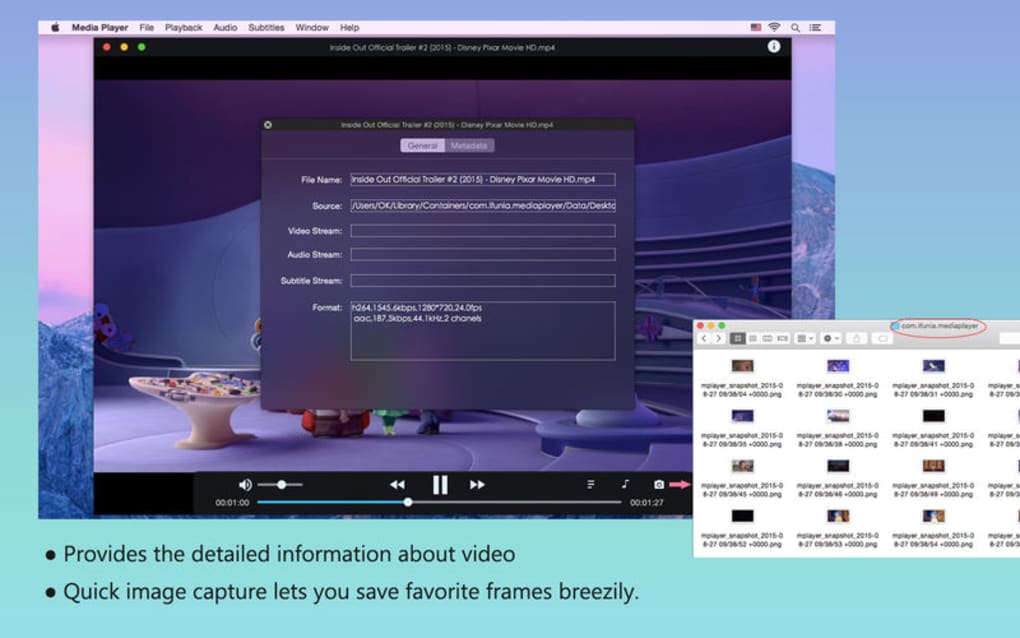
After installation, launch iFunia Media Player from the Start menu or desktop icon. The main window presents a clean playback pane with a control bar at the bottom. To open a file, simply drag it from Explorer (or Finder) onto the player window, or use the File → Open menu to browse.
The player will instantly detect subtitles and audio tracks, offering a pop‑up to select preferred language if multiple options exist. Playback controls include play/pause, stop, forward, rewind, volume, and a slider for precise seeking. Right‑clicking the video area reveals advanced options such as video brightness, contrast, and aspect‑ratio adjustments.
For users needing to convert files, click the Convert button on the toolbar, select the source file, choose the desired output format, and hit Start. Conversion typically completes within seconds for common codecs, thanks to the integrated hardware‑accelerated engine. Finally, to keep the software up‑to‑date, enable the automatic update feature under Settings → Updates**; the app will check daily and prompt you to install any new patches, ensuring you always have the latest security and performance improvements.
Compatibility, Pros & Cons
iFunia Media Player is built to run on the most popular operating systems. Its Windows 10/11, macOS 10.13 and later, Android 5.0 and later, and iOS 12 and later compatibility ensures that users across desktop and mobile environments can enjoy seamless playback. The software leverages native APIs for each platform, delivering smooth video rendering and low CPU usage even when handling 5K streams. Because the core engine is written in C++ and wrapped in platform‑specific shells, performance remains consistent whether you’re on a high‑end gaming PC or a modest laptop.
Pros
- Extensive codec support eliminates the need for external plug‑ins.
- Ultra‑high‑definition playback up to 5K without stutter.
- Drag‑and‑drop interface speeds up file loading.
- Built‑in converter saves time and avoids extra software.
- Lightweight installer and modest system requirements.
- Free for personal use with regular security updates.
Cons
- No built‑in streaming service integration (e.g., Netflix, Hulu).
- Limited customization of UI themes compared to premium players.
- Advanced audio equalizer features are absent.
- Occasional minor glitches when opening corrupted files.
- Mobile versions lack some desktop‑only conversion tools.
Overall, the advantages far outweigh the drawbacks for most home users. The absence of streaming service plugins is intentional, keeping the player focused on local media and reducing potential DRM complications. Users who prioritize a clean, fast, and free player will find iFunia Media Player an excellent fit, while power users seeking deep audio tweaking may still prefer a specialized audio workstation.
Frequently Asked Questions
Is iFunia Media Player completely free?
Yes, iFunia Media Player is free for personal, non‑commercial use. There are no hidden fees or subscription requirements.
Can I play 4K or 5K videos on older hardware?
The player can decode 5K streams, but smooth playback depends on your GPU and CPU. On older machines, you may need to lower the playback resolution or enable hardware acceleration in the settings.
Does iFunia support subtitle files?
Yes, it automatically detects external subtitle files (SRT, ASS, SUB) placed alongside the video and also allows you to load them manually through the subtitle menu.
Is there a portable version that doesn’t require installation?
A portable zip package is available for Windows users. Simply extract the archive to a USB drive and run the executable; no admin rights are needed.
How often are updates released?
The development team pushes minor updates every 2‑3 weeks and major feature releases roughly every 4‑6 months. Automatic update checks can be enabled in the Settings menu.
Conclusion & Call to Action
In summary, iFunia Media Player delivers a compelling blend of universal codec support, ultra‑high‑definition playback, and a user‑friendly interface—all without costing a dime. Its lightweight nature makes it ideal for machines with limited resources, while the built‑in converter and drag‑and‑drop workflow speed up everyday media tasks. Although it lacks some niche features like deep audio equalization or integrated streaming services, these omissions are intentional, keeping the program fast, secure, and free of unnecessary bloat. For anyone seeking a reliable, secure, and continuously updated media player for Windows, macOS, Android, or iOS, iFunia stands out as a top choice.
Ready to experience smooth, high‑resolution playback? Download iFunia Media Player now and start enjoying your video and music collection without interruptions. Remember to enable automatic updates so you always have the latest security patches and codec enhancements.







